I manage a gaming cafe, and I clean PCs for a living. Not just once in a while — constantly.
We have dozens of machines running 8 to 10 hours a day. Dust builds up fast. Temperatures spike. Games start stuttering. And the moment I pull out the air blower and clean those machines, the difference is almost instant.
So when people ask me “does cleaning your PC improve performance?” — my answer is always yes. But let me show you exactly why, and how much of a difference it actually makes.
Why Dust Is the Silent Performance Killer
Your PC generates heat. The fans pull in air to cool things down. That air carries dust, pet hair, and tiny particles that settle inside your case.
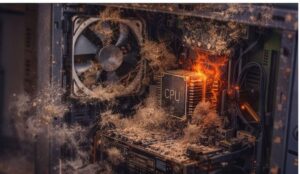
Over time, dust clogs:
- The heatsink on your CPU
- The GPU fans and fins
- The case intake and exhaust vents
- The power supply fan
When airflow is blocked, your components get hot. And when they get too hot, they do something called thermal throttling — they automatically slow themselves down to avoid damage.
That means your brand new CPU or GPU is running slower than it should be, just because of dust.
Does Cleaning Dust from a PC Improve Performance? Yes — Here Is What I See at the Cafe
At our gaming cafe, we track temperatures on every machine. Here is what a typical dusty PC looks like versus a clean one:
| Dusty PC | After Cleaning | |
|---|---|---|
| CPU Temp (idle) | 55°C to 65°C | 35°C to 45°C |
| CPU Temp (gaming) | 90°C+ | 65°C to 75°C |
| GPU Temp (gaming) | 85°C to 95°C | 70°C to 78°C |
| FPS in games | Inconsistent, drops | Smooth and stable |
These are real numbers from machines we service every month.
When a PC is running at 90°C+ during a game, it is already throttling. If you are seeing this on your own PC, our guide on why your CPU is overheating breaks down the common causes in detail. Cleaning it brought temperatures down by 15°C to 25°C on most machines. FPS became stable. Stutters went away. Some machines even started running faster in benchmarks.
Does Cleaning PC Fans Improve Performance?
This is one of the most common questions we get, and yes — cleaning PC fans specifically makes a big difference.
Fans are the first thing to accumulate dust. When a fan blade is coated in dust, two things happen:
- It moves less air (reduced airflow efficiency)
- It spins harder to compensate (louder noise, faster wear)
At the cafe, we once had a machine where the GPU fan was so clogged it could barely spin. The GPU hit 97°C during a match and the game crashed. After cleaning just the GPU fan, temperatures dropped by nearly 20°C.
What to do: Use a can of compressed air or a handheld air blower. Hold the fan blade still while blowing air through it so it does not spin too fast (that can damage the bearings). Clean from the inside of the case outward.
Does Cleaning My PC Improve Performance for Gaming Specifically?
Yes, and gaming is actually where you will notice it the most.
Games push your CPU and GPU to near maximum load. If either of those components is running hot, your PC will throttle — which shows up as:
- Sudden FPS drops mid game
- Stuttering during intense scenes (this can also be a CPU bottleneck issue — worth ruling out)
- Long loading times
- Unexpected crashes while gaming
These are the exact complaints we hear from gamers who bring their PCs to us. In most cases, the fix is not a new part. It is just a good cleaning.
Pro tip from the cafe: If your PC is loud and running hot during gaming, clean it before spending money on upgrades. You might find you do not need new hardware at all. If you want to go further, check out our full guide on how to optimize your computer for best performance.
What Else Should You Clean? (Beyond Just Dust)
Cleaning your PC goes beyond blowing out dust. Here is everything we do during a full service at the cafe:
Thermal Paste Replacement
Thermal paste is the material between your CPU and its cooler. Over time (usually 2 to 3 years), it dries out and becomes less effective at transferring heat.
Replacing old thermal paste can drop CPU temps by another 5°C to 15°C on top of what you gain from cleaning dust. We have a full step by step CPU cleaning guide that covers thermal paste replacement in detail.
Cable Management
Messy cables block airflow inside your case. When we tidy up cables and route them neatly, airflow improves and temps drop slightly.
Cleaning the Filters
Many modern cases have removable dust filters on the front and bottom. These trap dust before it gets inside. Clean these every 2 to 4 weeks for best results.
How Often Should You Clean Your PC?
This depends on your environment:
- Home use (carpet, pets, dusty room): Every 2 to 3 months
- Home use (clean room, hard floors): Every 4 to 6 months
- Gaming cafes and heavy use: Every 4 to 6 weeks
At our cafe, we do a light cleaning every month and a full deep clean every quarter. It keeps the machines running smooth all year.
What You Need to Clean Your PC (Beginner Friendly List)
You do not need fancy tools. Here is what we use:
- Compressed air can or electric air blower
- Soft paintbrush (for delicate components)
- Microfibre cloth (for case exterior)
- Screwdriver (to open the case)
- Thermal paste (only needed every 2 to 3 years)
Important: Always shut down your PC and unplug it before cleaning. Ground yourself by touching a metal surface to discharge static electricity.
Step by Step: How to Clean Your PC
- Shut down the PC and unplug all cables
- Move it to a well ventilated area (outside or near an open window works great)
- Open the side panel (usually two screws at the back)
- Use short bursts of compressed air on the heatsinks, fans, and vents
- Use a soft brush to dislodge stubborn dust on the motherboard and GPU
- Clean dust filters separately under running water and let them dry fully before reinstalling
- Wipe the case interior with a dry microfibre cloth
- Close the panel, reconnect cables, and power on
The whole process takes about 20 to 30 minutes for a home PC. We also have a dedicated guide on how to clean dust from a gaming PC with photos and extra tips if you want more detail.
If you are just getting started with PC gaming overall, our PC gaming for beginners guide is a great place to start.
Reddit Says Yes Too (And So Does the Data)
If you search “does cleaning PC improve performance Reddit”, you will find hundreds of posts from gamers who were shocked by the difference cleaning made. Lower temps, stable FPS, quieter fans — the pattern is consistent.
The reason is simple: modern CPUs and GPUs are designed to protect themselves from heat damage. Dust takes away their ability to cool themselves. Removing that dust gives them room to breathe and perform the way they were built to.
Final Answer: Yes, Cleaning Your PC Absolutely Improves Performance
Here is a quick recap of everything covered:
- Dust causes thermal throttling, which directly slows down your CPU and GPU
- Cleaning PC fans restores proper airflow and reduces temperatures significantly
- For gamers, the improvement shows up as stable FPS and fewer crashes
- A full cleaning takes 20 to 30 minutes and costs almost nothing
- At our gaming cafe, we clean machines monthly and the results speak for themselves
If your PC has been running hot, loud, or sluggish — clean it before you consider any other fix. It is the simplest, cheapest, and most overlooked performance upgrade out there.
Still having issues after cleaning? Check out our guide on how to fix PC freezing and random restarts or find out how much it costs to fix a gaming PC if you need professional help.

I spent 2 years managing a gaming café where I maintained a full setup — multiple gaming PCs, PS5 consoles, and racing simulators running back to back every day. I hold a Diploma in Computer Applications and started FixMyGames.in to document the real fixes I learned on the job — not the generic advice you find everywhere else.